How to Read FaceSeek Confidence Scores in Access Control System AI
If you use FaceSeek inside an access control system AI or an identity workflow, you’re probably staring at confidence scores every day and making fast calls based on them. When those FaceSeek confidence scores are misunderstood, small mistakes can turn into big risks, like false matches in identity verification regulations workflows or a wrong door opening in a secure facility.
FaceSeek is an AI tool for face search, a powerful face finder used for identity verification, access control, and OSINT-style investigations. It works as a cloud service and can also run on edge devices through FaceOnLive’s offline SDK, which helps teams in government, defense, fintech, and brand safety keep data local, safer, and more compliant. If you need a deeper product primer, this FaceSeek overview and core capabilities article is a good companion to this guide.
A confidence score is simply a number that shows how sure the system is that two faces match. It is not a legal guarantee or a “yes/no” answer, so reading it the wrong way can lead to over-trusting weak matches or ignoring strong ones in sensitive access control system AI checks.
In this post, you’ll learn how FaceSeek scores are calculated in practice, how to set sane thresholds for your use case, and how to combine scores with human review. You’ll also see how cloud and edge AI compare for identity checks, and how FaceOnLive’s offline SDK can make FaceSeek deployments safer for regulated industries.
We will touch on real use cases across identity verification regulations, fraud screening in fintech, and brand safety teams tracking impersonation with FaceSeek’s face search. If you work with brands, you can also learn how to get your brand featured on FaceSeek Online to reach investigators, OSINT professionals, and privacy-conscious users. To try the tools yourself, you can start directly on FaceSeek Online, then come back to this guide whenever you need a clearer read on what those scores really mean.
What FaceSeek Confidence Scores Really Mean (In Plain Language)
FaceSeek confidence scores look very technical at first, but they are really just a way of saying, "These two faces look this similar to me." If you work with access control system AI, OSINT, or identity checks, reading those numbers in plain language keeps you from over-trusting or underusing the AI tool.
If you want a deeper product view while you read this section, the detailed FaceSeek review 2025 is a helpful side reference.
How FaceSeek Calculates Confidence: Similarity, Not Certainty
FaceSeek does not think in names or legal identities. It works in patterns.
When you send a probe image (for example, a live camera frame at a door), FaceSeek first turns that face into a compact fingerprint. In technical terms, this is a face vector. It captures patterns like:
The distance between eyes, nose, and mouth
The shape of the jaw and cheekbones
How features line up and curve together
FaceSeek does the same thing for every enrolled face in your database. Then it compares the fingerprints and asks, "How similar are these patterns?" The closer they are, the higher the confidence score.
A few key points keep this simple and safe:
The score is about image similarity, not legal identity.
A 95% score means, "These two images look very strongly like the same person to the model."It is never a 95% legal chance.
That number does not mean you can testify in court that there is a 95% chance this is John Smith.The system can be very accurate but not perfect.
Like every face finder, FaceSeek can be confused by twins, masks, low light, or biased data in the source images.
Other facial recognition systems describe this the same way. For example, Amazon explains in its face comparison overview that higher confidence means a higher likelihood of a match, but not a guarantee. Microsoft also describes recognition confidence as a similarity score between templates, not a proof of identity, in its own face accuracy and limitations guide.
FaceSeek builds on this same idea, then wraps it in workflows. With FaceOnLive’s offline SDK, you can keep that face search running on your own hardware while still using the same confidence scoring logic for doors, kiosks, or regulated identity verification regulations workflows.
If you want to see how confidence scores show up in “find my face online” workflows rather than access control, the article on how FaceSeek detects face misuse shows the same scoring idea used for privacy and brand safety.
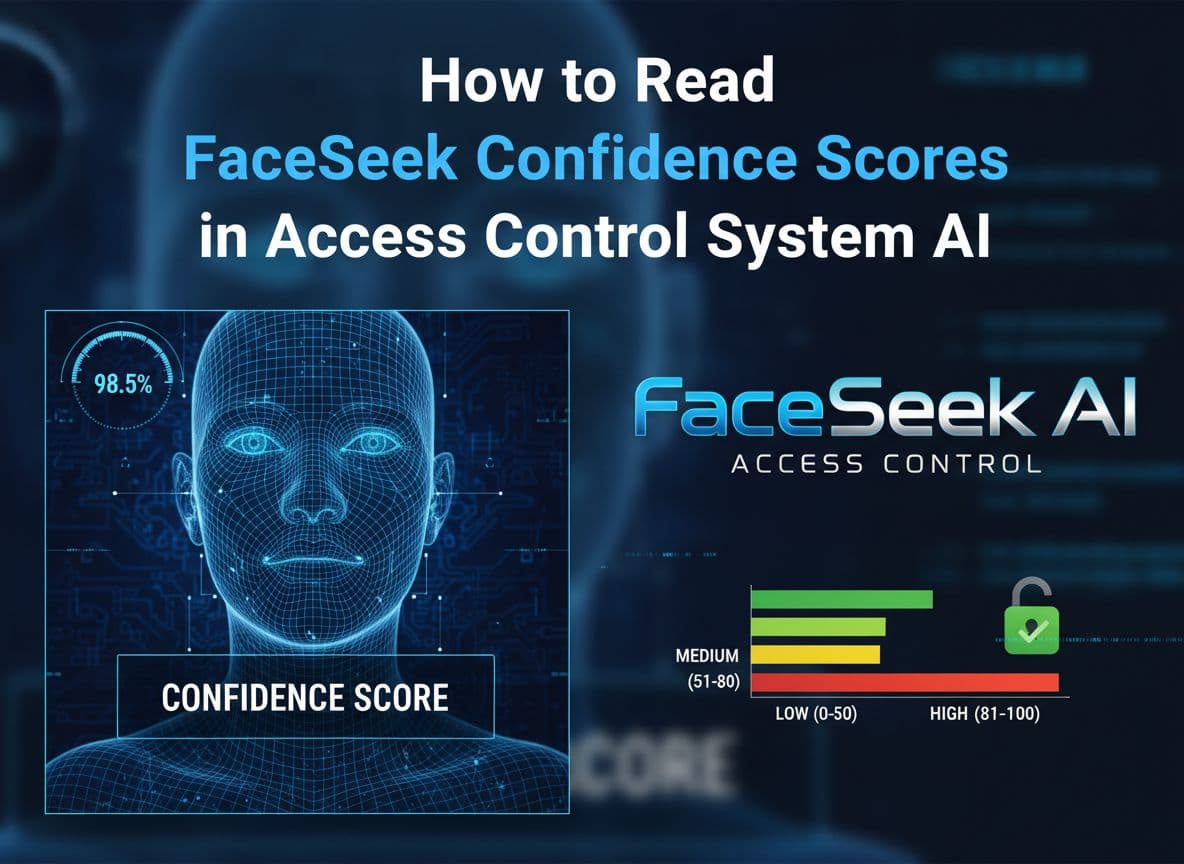
Score Ranges: Low, Medium, and High Confidence Matches
Every deployment sets its own thresholds, but it helps to think in simple bands. A common mental model looks like this:
Score rangeConfidence levelWhat it usually means in practice | ||
0 to 59 | Low | Weak hint, often noise or a lookalike |
60 to 85 | Medium | Plausible match, needs extra checks |
86 to 100 | High | Strong signal, candidate for approval with human review |
These numbers are only an example. The real cutoffs depend on your risk, your users, and your local rules.
Here is how different sectors might treat the same score:
Government or defense:
A door into a secure room may require very high confidence before it even prompts the guard. A score of 90 might still trigger a second factor, like a badge tap or PIN, because the cost of a wrong match is huge.Fintech and banking:
For KYC and fraud checks tied to identity verification regulations, a medium score might auto-route the case to manual review instead of blocking the user. A 92 could be "pass, but log this event and keep it for audit."Commercial offices or co-working spaces:
A mid-risk building may accept an 85 for a regular employee at the gate, especially if they also have a valid badge. The same score for a guest, however, might still need front-desk approval.
In plain terms:
Low score (under ~60):
Treat it like a weak hint. It is FaceSeek saying, "These faces share some features, but I am not at all sure." In access control system AI, you usually ignore these or keep them only for investigation logs.Medium score (around 60 to 85):
This is a yellow light. The AI is saying, "This might be the same person, but I need backup." In practice, that backup might be:Ask for a second ID document
Trigger a live agent video check
Have a guard compare the screen to the person in front of them
High score (above ~85):
This is a strong signal. FaceSeek is saying, "These faces look very much like the same person to me." You still need a human-friendly safeguard, but the score is enough to move into "approve unless something looks wrong" territory.
If you work on brand or creator protection, you will see similar thinking in the guide on using FaceSeek to monitor where your face appears online. There, a high score might mean a strong case of impersonation instead of a door opening, but the score ranges play a similar role.
FaceSeek Confidence Score vs. Identity Verification Decision
A FaceSeek confidence score is a signal, not a verdict. The number is only one part of the story.
In a typical access control workflow, you really have three layers:
The AI comparison
FaceSeek compares the probe image to one or more enrolled faces and outputs a confidence score. This is the machine’s best guess based on visual patterns.Your policy rules
Your system maps that score to actions, for example:If score < 60, deny and log
If 60 ≤ score < 85, route to manual review
If score ≥ 85, allow, but only if badge ID also matches
These rules usually live inside your access control system AI, your identity platform, or your FaceOnLive based edge deployment.
Human judgment and context
A guard, agent, or fraud analyst looks at the image, the score, and the context. Is this login coming from a new country? Is the person at the door acting oddly? Are there legal or privacy flags on this account?
That last piece is where you separate "FaceSeek thinks this looks right" from "We are willing to approve this action." In sensitive identity verification regulations environments, the human and the policy always have the final word, not the algorithm.
A few simple habits help keep this separation clear:
Treat the score as one piece of evidence, next to documents, device signals, or behavior.
Avoid training staff to say, "The AI says 98%, so it must be them."
Make your UI show both the score and a clear image preview, so humans can cross-check what the AI tool is seeing.
Log both the score and the final decision, so you can audit later if something goes wrong.
If you work with creators, brands, or public figures, this same idea applies when you use FaceSeek for monitoring. A high score on a suspicious website is a strong sign, but a person still decides whether to send a takedown or contact legal. You can see how that works in the guide on how FaceSeek helps you find where your face is being used online.
FaceSeek, FaceOnLive’s SDK, and your access workflows all come together here. The AI delivers similarity scores, your policies interpret them, and humans make the final identity call. That is the safest way to use face search as a face finder inside any high-stakes identity stack, from identity verification regulations ,access control system AI,faceonlive, faceseek, face search, ai tool, face finder flows to online impersonation tracking.
If you work with brands or influencers, you can also use the same scoring ideas to spot fake profiles and misuse, then tie that into brand outreach using the guide on getting your brand featured on FaceSeek Online. To explore the tools from a user’s point of view, you can always start right on FaceSeek Online.
Common Mistakes People Make When Reading FaceSeek Scores
FaceSeek confidence scores look simple on the surface, but the way people react to them can create real risk. In high‑stakes identity verification regulations workflows or access control system AI, a single misread number can open the wrong door or flag the wrong person.
This section walks through common mistakes teams make when reading scores from FaceSeek or any similar AI tool, and how to avoid them in your own setup.
You can also keep the bigger picture in mind by reviewing how FaceSeek handles privacy and multi‑platform matching in the guide on how FaceSeek enables smarter face searches.
Mistake 1: Treating 100% Confidence as Guaranteed Truth
Many people assume that if a system shows a score close to 100%, the match must be correct. In practice, most modern face recognition systems rarely even output a literal 100%. When they do show very high values, those scores still come from patterns in pixels, not from real‑world certainty.
Several factors can warp even strong matches:
Lighting and shadows can hide features or exaggerate them.
Camera quality changes sharpness and detail, which shifts the face vector.
Aging and style changes (haircuts, glasses, weight changes) affect how similar two images look.
Look‑alike faces or family members can produce high similarity scores even when they are not the same person.
Research on facial recognition limitations shows the same pattern across vendors. For example, Microsoft’s overview of facial recognition characteristics and limitations explains that occlusions, poor enrollment images, and environmental changes can raise error rates even when the algorithm is generally accurate.
In defense or fintech environments, this matters a lot. A 98% score might look impressive, but it should never be the only reason to:
Approve a large wire transfer
Unlock a restricted server room
Confirm a high‑risk user in a fraud investigation
A safer pattern is simple:
Treat very high scores as strong evidence, not proof.
Combine them with another factor (badge, PIN, device check, or human compare).
Log both the score and the final decision for audit and training.
FaceSeek and FaceOnLive’s SDK are powerful, but they are still part of a larger identity stack. Your policies, your people, and your records keep those high scores from turning into blind trust. If you are using FaceSeek for broader face search workflows, you can also explore the FaceCheck ID alternative face search tool to see how similarity scores show up outside strict access control.
Mistake 2: Ignoring Medium Scores That Need Human Review
The next common mistake sits in the middle. Teams often treat medium scores as if they were a firm yes or a firm no. That is risky.
Medium scores, for example in the 65–80 range, usually mean:
The faces share many features.
Conditions were not perfect.
The AI tool is not sure enough to decide alone.
In identity verification regulations workflows, that is exactly the band where you want a human in the loop, or at least an extra factor. Treat medium scores as review triggers, not automatic answers.
Here are smart follow‑ups for medium scores:
Ask for a second ID or selfie.
Route the case to a manual KYC or fraud analyst.
Require another factor for access, like a card swipe or mobile confirmation.
Imagine a scenario:
A remote onboarding system gets a FaceSeek score of 75 when comparing a user’s selfie to their passport photo.
The device, IP, and behavior signals all look normal.
The workflow is set to auto‑approve anything above 70.
If that 75 leads directly to approval, the system has turned a yellow light into a green one. A better setup would:
Flag 70–85 as a “review” band.
Send the case to a human, who compares the live selfie, document details, and context.
Let the analyst accept, reject, or request more proof.
This approach lines up with how many access control system AI deployments think about medium similarity scores. They are a cue to slow down, not a reason to fully trust or fully reject a person.
Mistake 3: Using the Same Threshold for Every Use Case
Another easy mistake is to pick a single threshold and use it everywhere. For example, “If FaceSeek is at 85 or higher, we always say yes.”
That might feel clean, but it ignores how different your risk levels are across locations and actions. A low‑risk public kiosk and a high‑security data center should not share the same cutoff.
Better practice is to tune thresholds based on:
Risk level of the resource (lobby camera vs vault door)
Fraud risk for the action (password reset vs large payout)
Local regulations around biometrics and identity checks
For example:
A public kiosk that only shows basic account info might accept a lower score if combined with a PIN, because the harm from a mistake is limited.
A high‑security data center might require a much higher score plus a badge, plus a code, and still log the entry for later review.
Vendors describe similar patterns when talking about false acceptance and false rejection rates. A short guide on key facial recognition errors and strategies to minimize them shows how different thresholds trade off between letting in impostors and blocking real users.
FaceSeek and FaceOnLive give you the flexibility to match thresholds with policy:
Government and defense teams can set very strict cutoffs, especially for sensitive rooms or OSINT searches.
Fintech teams can map ranges to “approve,” “review,” and “deny,” tied to transaction size or user risk scoring.
Consumer apps can keep thresholds a bit lower but rely on rate‑limits, device checks, and extra signals.
If you use FaceSeek both for access and for online monitoring or brand safety, think of each workflow as a different lane with its own rules. For creator or brand workflows, for example, you might care more about broad detection and alerts, which you can explore further in the guide on how to get your brand featured on FaceSeek Online.
Mistake 4: Forgetting About Context, Regulations, and Human Judgment
The last big mistake is treating the score as if it exists in a vacuum. Even a perfect‑looking number has to be read in context.
Important context factors include:
What the user is trying to do (view a profile vs send funds)
Where the attempt is happening (at the office gate vs a foreign IP)
Which laws and policies apply (biometric privacy rules, sector rules, company standards)
Identity verification regulations in many regions now call for:
Clear audit logs of automated decisions
Documented risk assessments for biometric use
Human oversight, especially for high‑impact outcomes
That means a FaceSeek score is only one line in a wider story. Your access control system AI or KYC platform should:
Log who or what made the final decision.
Capture the score, images, and any extra factors used.
Make it easy to explain why an action was approved or denied.
FaceSeek is an AI tool that supports decisions. It should not silently replace guards, agents, or compliance officers. Studies on facial recognition accuracy and bias concerns highlight how errors can rise for certain groups or conditions, which is another reason human judgment must stay in the loop.
A healthy way to think about it is:
FaceSeek and FaceOnLive: generate similarity scores and technical signals.
Your policies: say what to do at each range of scores.
Your people: bring context, ethics, and legal awareness.
Used this way, identity verification regulations ,access control system AI,faceonlive, faceseek, face search, ai tool, face finder solutions become safer and more transparent. If you want to explore FaceSeek from an end‑user point of view, you can always start on FaceSeek Online and see how confidence scores feel in live searches before you lock in your thresholds.
Cloud vs. Edge: Where FaceSeek Runs Changes How You Use Confidence Scores
Where FaceSeek runs has a big impact on how you read and act on its confidence scores. A 92% match from a cloud service and a 92% match from an offline edge box can mean the same math under the hood, but very different risk, privacy, and logging duties around it.
This is where you decide how much trust you place in remote servers, how close you keep biometric data to your own hardware, and how you design your access control playbook.
Reading Confidence Scores in a Cloud Face Search Setup
In a typical cloud setup, your cameras or apps send images to a remote FaceSeek service. The service runs the face search, compares the probe image to your enrolled faces, and returns a confidence score plus match candidates.
You get several clear benefits when FaceSeek runs in the cloud:
Scalability: You can grow from hundreds to millions of enrolled faces without redesigning your stack.
Easy updates: New model versions, better matching, and security patches roll out without touching your local devices.
Large and diverse databases: Cloud storage and indexing make it easier to handle multi-region watchlists or large employee bases.
Because the cloud environment can host a larger gallery, the confidence score often reflects comparisons across a much broader and more diverse face set. This can help reduce some false positives, especially when you use FaceSeek for wide-area face search or OSINT-style work, as covered in the guide on getting your brand featured on FaceSeek Online.
That extra reach comes with tradeoffs. In a cloud setup:
Your biometric data leaves the local site.
Data flows across networks, which adds more points to secure.
Logs and audit trails often live partly with you and partly with the cloud provider.
This means your duties around data protection and access control get more complex. You need clear answers for:
Who can see high-confidence matches in the dashboard.
Who can export images, logs, or watchlists.
How long raw images and templates are stored.
How you respond to data subject requests and regulator audits.
In many regulated regions, biometric data is treated as a special category. That puts pressure on your logging and role design. For every FaceSeek confidence score that drives a high-impact action, you want:
A record of the score, input image, and matched profile.
A clear note of who reviewed or approved the action.
Policy-based limits on which roles can act on high scores.
Cloud deployments often shine in multi-site access control system AI setups, where a central security team monitors many branches. The central team can watch high-confidence alerts across all doors and sites in one place. Just remember that the more powerful that view is, the tighter your controls around it must be.
If you want a quick primer on how cloud and edge compare at a high level, the overview of edge AI vs cloud AI is a good neutral reference.
Reading Confidence Scores at the Edge With Offline AI
When you move FaceSeek and FaceOnLive models to the edge, the entire feel of the confidence score changes. Instead of sending images to a remote server, your cameras and devices talk to a local box, gateway, or server that runs the model on-site, often with no internet link at all.
This setup shifts your tradeoffs:
Lower latency: Scores come back faster because processing happens close to the camera, not across the network.
No internet needed: Doors keep working even if the WAN link drops.
More privacy: Biometric data stays inside your own network perimeter.
Tighter control: You decide how images, embeddings, and logs are stored and rotated.
For many teams in government, defense, and fintech, those last two points are the real reason to use FaceOnLive at the edge. They want confidence scores to be:
Produced offline.
Stored offline.
Reviewed and tuned offline.
That makes it much easier to line up with local identity verification regulations and internal security policies. You are no longer explaining to auditors where in the cloud your biometric data might live. You are pointing to your own racks and your own procedures.
In an offline setup, your reading of the score often becomes more conservative and policy-heavy, because you know:
Every score is backed by an on-premises audit trail you control.
Any export of data is a deliberate choice, not a default network flow.
You can align your thresholds with site-specific rules, such as “data center entries” versus “lobby check-ins.”
Edge-based facial recognition is often described as better aligned with privacy and speed, which you can see echoed in practical guides like this piece on facial recognition at the edge.
For identity verification regulations ,access control system AI,faceonlive, faceseek, face search, ai tool, face finder deployments, this mix is powerful. A 90% score on an offline box in a secure facility can be logged, checked against local policy, and tied directly to a door relay without sending a single biometric frame outside your network.
Why FaceOnLive’s Offline SDK Is a Big Advantage for Sensitive Use Cases
FaceOnLive’s offline SDK gives you a way to bring all of FaceSeek’s core abilities into places where the cloud is not allowed or is seen as too risky. Instead of treating FaceSeek as “just a website,” you run face search and access control workflows on your own servers, appliances, or dedicated edge devices.
That SDK supports:
Face search against your own gallery.
Face finder functions for scanning live camera feeds.
Access control system AI logic tied to relays, gates, and kiosks.
All of this happens on hardware you own or fully control. You can design the system so that:
Raw frames never leave the site.
Templates and confidence scores are stored in encrypted local databases.
Only a small number of admins can export or review bulk data.
For government and defense teams, this can be the difference between getting legal sign-off and having a project blocked. Policies often require that biometric processing happens inside specific networks or even inside certain buildings. An offline FaceOnLive SDK deployment lets FaceSeek fit inside those rules instead of fighting them.
Fintech and high-risk financial services see similar gains:
Regulators expect strong audit trails for every high-value action.
Internal security teams want to reduce exposure to third-party breaches.
Legal teams are wary of sending biometric templates to external vendors.
With the offline SDK, every confidence score is a local event. You can:
Log it to your SIEM or on-premises logging stack.
Attach it to case records in your own fraud tools.
Tune thresholds over time, based on your own data and outcomes.
The key win is that you do not have to send biometric data or match logs to a third-party server just to get better performance or features. You keep the same FaceSeek logic, the same scoring behavior, and the same access control hooks, but you drive the whole workflow from inside your own environment.
For teams that also want to understand FaceSeek from a user angle, or explore public-facing tools side by side with offline deployments, it can help to test flows directly on FaceSeek Online. You can feel how confidence scores work in live face search, then decide where cloud, edge, or a mix of both makes sense for your own secure locations.
How To Set Smart Thresholds and Policies for FaceSeek Confidence Scores
Once you understand what FaceSeek scores mean, the next step is turning those numbers into clear rules. Good thresholds and policies act like guardrails, so people across your team react to scores the same way, every time, in line with identity verification regulations and your internal risk appetite.
In short, FaceSeek does the math, your policies decide what that math allows. Let’s turn confidence scores into simple, repeatable decisions that work across identity verification regulations ,access control system AI,faceonlive, faceseek, face search, ai tool, face finder workflows.
Match Thresholds to Risk: Low, Medium, and High Stakes Scenarios
Not every FaceSeek check should be treated as life-or-death. A selfie used for basic personalization is not the same as a face match that opens a secure lab or confirms a large payout.
A smart way to think about thresholds is to tie them to risk tiers rather than chasing a single “magic number.”
Here is a simple model you can adapt:
Risk levelExample use caseScore idea (example only)Extra checks | |||
Low | Profile photo match, content personalization | Moderate score, flexible threshold | Device or account checks |
Medium | Financial app login, password reset | Higher score | 2FA, OTP, document or device binding |
High | Secure room access, defense facility, vaults | Very strict score, near top range | Human confirmation, badge, PIN, strong logging |
These bands are illustrative only. You should tune the exact numbers based on:
Your false-accept vs false-reject tolerance
Local identity and biometric rules
Real-world testing on your own data
If you want a broader view of threshold thinking, the Kairos guide on face recognition accuracy and thresholds explains how different cutoffs change error rates in practice.
A few practical patterns that work well:
Low-risk scenarios (experience and personalization):
Let FaceSeek run with a moderate threshold, then back it up with non-biometric checks. For example, a content app might use a mid-range match to suggest “this might be your profile,” but still require a password or session token to actually show any private data.Medium-risk scenarios (money, data, or account control):
Treat FaceSeek as one strong factor in a multi-factor flow. A higher threshold might be required to trigger “let the user attempt login,” but the actual entry still depends on an SMS code, hardware token, or device binding. This is common in fintech and can be tied to transaction size or user risk level.High-risk scenarios (doors, sensitive systems, legal exposure):
Use very conservative thresholds and never rely on FaceSeek alone. A secure room might require:Very high FaceSeek confidence
Valid badge read
Correct PIN
Guard or operator review of the live video vs the enrolled image
For high-stakes work, it helps to look at sector guidance. For example, Microsoft’s overview of facial recognition characteristics and limitations shows how setting tighter thresholds reduces false accepts but increases friction for real users.
Most important, do not copy another company’s numbers. Use these ideas as a starting template, then test with your real cameras, lighting, user base, and compliance team. Run pilots, review false positives and false negatives, and move thresholds until risk and user experience both feel right.
If you want to see how FaceSeek handles similar “risk bands” for online impersonation and creator protection, you can study the FaceSeek confidence score and threat analysis guide, which treats high scores as high-risk impersonation signals instead of door events.
Add Extra Signals: Liveness, Documents, and Behavioral Checks
FaceSeek confidence scores are powerful, but they should never be the only signal you trust. Attacks get more creative every year, from high-quality printouts to deepfake video, so you want multiple lines of defense.
Think of the FaceSeek score as one lock on the door. You get much better protection when it works alongside other locks.
Common extra signals that pair well with FaceSeek:
Liveness checks
Make sure there is a real person in front of the camera, not a replayed video, printed photo, or digital mask. Vendors like AWS talk about matching liveness thresholds to use case risk in their face liveness recommendations.ID document scans
Compare a selfie to a passport or ID photo, then cross-check name, date of birth, and document security features. This is standard in KYC flows and supports identity verification regulations in many countries.One-time codes (OTP)
Send a code to an email, phone, or authenticator app. Even if someone spoofs a face, they also need control of that device or inbox.Device and network checks
Look at device fingerprint, IP reputation, geolocation, and login history. A great FaceSeek score from a brand-new device in a high-risk country might still be treated as suspicious.Behavioral patterns
Typing speed, swipe patterns, login times, and normal routes to a building can all help. Unusual behavior plus a borderline score is a strong reason to slow down.
This layered approach gives you flexibility with thresholds:
You can accept slightly lower scores when extra signals are very strong.
For example, a medium FaceSeek score paired with a passed liveness test, a high-quality ID match, and a known device might be safe to approve in a mid-risk flow.You can demand higher scores when other signals are weak.
For example, the same score coming from a brand-new device, sketchy IP, and no document check might need manual review or a stricter threshold.
Here is a simple way to think about it:
Strong score + strong extra signals: auto-approve or fast lane.
Strong score + weak extra signals: review or step-up challenge.
Medium score + strong extra signals: cautious approve, with better logging.
Weak score + any signals: usually safe to deny or keep for investigation only.
This is also a good place to think about privacy. The more signals you collect, the more data you hold. FaceSeek and FaceOnLive can run inside your own stack so you can keep biometric data and logs under your control, which is a big plus when you care about strict identity verification regulations and local data laws. For user-facing risk and privacy, you can also see how FaceSeek manages scans and consent in its consumer-focused tools on FaceSeek Online.
If your work touches brand safety or creator protection, you can take the same layered mindset into OSINT-style checks. Use FaceSeek scores alongside domain reputation, platform rules, and takedown options like those covered in the guide on getting your brand featured on FaceSeek Online.
Build Clear Workflows: What To Do at Each Score Range
Strong thresholds and extra signals are only useful if your team knows what to do when they see a score. That is where clear workflows and playbooks come in.
Your goal is simple:
For any score range, any staff member should know the next step without guessing.
A practical way to do this is to define score bands with actions:
Auto-deny band
Very low scores, where the match is weak or clearly wrong.
Action: deny or ignore for access control, but log for audits.
Example: “If FaceSeek score < 60, deny door open and write an event entry.”
Manual review or step-up band
Medium scores, where the AI is unsure.
Action: route to a guard, agent, or extra check.
Example: “If 60 ≤ score < 85, require badge tap and PIN, show both images to the guard, and let them approve or deny.”
Auto-approve band (with safeguards)
High scores, where the AI is strongly confident.
Action: allow, but keep proper logs and sometimes a quick human glance.
Example: “If score ≥ 85 and badge ID matches, open the door and create a full log entry with images and metadata.”
You can refine this further with sub-bands, like 60–70 vs 70–85, or different ranges per site. The key is that your policy is written down and lives somewhere your staff can reach.
Helpful elements of a good FaceSeek workflow:
Playbooks or SOPs
Write short, clear procedures that map ranges to actions. Use screenshots of the FaceSeek panel or access control UI so guards and analysts know exactly what they are looking at.Training and refreshers
Walk staff through real examples: low, medium, and high scores with mixed signals. Ask them what they would do, then align answers to your playbooks.Consistent logging
Capture confidence scores, related IDs, timestamps, decisions, and reviewer identity. This will help when you need to troubleshoot or defend a choice.Exception handling
Define what happens when staff disagree with the AI. For example, “If the guard rejects a high-score match, always flag that event for quality review.” That feedback loop helps you refine thresholds and catch bias.
Clear workflows are not just operational hygiene. They also support compliance. Regulators and auditors often ask:
How do you use biometric data in practice?
Who can override an automated decision?
Can you show why this person was allowed or denied on a given day?
When your decisions are tied to written policies, logs, and explainable ranges, those questions become easier to answer. You can even bring in external references, like the ENFSI guidelines for facial recognition end users, to show that your workflow echoes accepted best practices.
FaceSeek itself is only one part of this picture. How you respond to its scores, how you document those steps, and how you treat users whose faces are found or misused all matter. For broader policy thinking around abuse cases, you can see how thresholds and escalation paths are handled in the FaceSeek guide on legal rights for unauthorized image use.
When you connect smart thresholds, layered signals, and clear workflows, FaceSeek becomes a reliable part of your identity and access stack instead of a mysterious black box. For a feel of how users experience face search outside closed systems, you can always explore the public tools on FaceSeek Online.
Using FaceSeek Responsibly: Oversight, Audits, and Training
Strong FaceSeek confidence scores only help if people, processes, and policies around them are solid. Responsible use sits on three pillars: trained staff, clear audit trails, and honest communication with the public about how your identity checks work.
If your team treats FaceSeek and FaceOnLive as a black box, risk goes up fast. With the right training, reviews, and transparency, tools like FaceSeek can support identity verification regulations and access control without drifting into unfair or opaque decisions.
You can see how FaceSeek itself thinks about ethics and privacy in its own breakdown of FaceSeek’s ethical facial recognition policy. Your internal program should mirror that kind of clarity.
Train Your Team To Read and Question Confidence Scores
Frontline staff are often the last checkpoint before a door opens or an account gets cleared. They should understand what a 62% FaceSeek score means compared to a 94%, and they should feel safe saying, “I am not convinced, I want to double-check.”
A simple training plan can make a big difference:
Short workshops: Run 45 to 60 minute sessions for guards, analysts, and operators. Walk through screenshots from your real access control screens, not generic slides.
Score examples: Show low, medium, and high FaceSeek scores side by side with the images. Ask the group how they would act at each level, then align their answers with your policy.
Quick quizzes: Use short case questions like “Score 72, at a restricted door, badge mismatch. What happens next?” This sticks better than long lectures.
Case studies from real incidents: Anonymize past errors or near-misses. Show how misreading a medium score or over-trusting a high one almost led to a problem.
External references can help trainers explain limitations. Microsoft’s guide to facial recognition characteristics and limitations is a good source for plain-language examples about lighting, pose, and bias.
During training, hammer home two ideas:
The AI score is evidence, not the final word.
Humans are allowed to slow things down.
Encourage staff to:
Ask for more data when a match “feels off.”
Compare faces on-screen with the real person, not just read the number.
Use escalation routes instead of guessing when unsure.
If your team also uses FaceSeek for brand safety or impersonation checks, share the consumer-focused guide on protecting your digital identity with AI privacy tools. It helps staff see how the same face search model affects real people outside the building.
You can even run side-by-side demos on FaceSeek Online so non-technical staff can “feel” how score ranges behave before they handle them in high-stakes environments.
Audit Logs, Metrics, and Bias Checks for FaceSeek Results
If you are using FaceSeek for doors, KYC, or investigations, you need a paper trail. Regulators and internal risk teams both expect you to show who did what, using which AI scores, at which time.
At a minimum, each FaceSeek event log should capture:
The confidence score and any thresholds applied.
The final decision (approved, denied, escalated).
Who or what reviewed it (automated rule, guard name, analyst ID).
Timestamps, location, and device or camera source.
Over time, these logs become a rich dataset. You can review them for:
Error patterns: Are certain doors or cameras generating many wrong calls?
Score drift: Are more approvals happening around a certain score band than you planned?
Fairness issues: Are false matches or denials clustering around particular demographic groups?
Research has shown real bias risks in facial recognition. The Alan Turing Institute’s report on understanding bias in facial recognition technologies documents how error rates can differ across age, gender, and skin tone. Regular bias checks against your own logs help you catch those patterns instead of guessing.
A simple review rhythm works well:
Monthly checks
Look at high-risk sites, high-value transactions, and any manual overrides.
Sample decisions at different score bands and confirm they match written policy.
Quarterly fairness reviews
Work with legal or compliance to see if certain groups are being flagged more often.
Adjust thresholds, camera setup, or staff training if you see skew.
Annual policy and regulation review
Map your logging and retention rules to local identity verification regulations.
Check whether regulators are asking for extra safeguards, such as opt-out options or human appeals, like those discussed in DHS’s update on use of face recognition and manual alternatives.
You can support all of this with a clear internal “AI use and logging” standard. FaceSeek’s own transparency in its ethics guide is a good model for how audit-ready documentation should read.
Managing Brand and Public Use of FaceSeek Results
If you are a brand, a public agency, or a large platform, people will ask how you use face search. They might discover your logo or name inside a FaceSeek scan, or they might hear that you rely on FaceOnLive in your access control system AI. Clear communication builds trust before problems show up.
Here are smart practices for managing public-facing use:
Explain FaceSeek in plain language
On your website or help center, describe FaceSeek as a face search and match tool, not a magic identity oracle. Spell out why you use it, how long you keep data, and how people can appeal or ask questions.Be honest about limits and safeguards
Link to public resources, such as FaceSeek’s article on how FaceSeek protects user data and privacy. This shows that your supplier takes privacy seriously too.Align your brand presence with your policy
If your company wants to appear in face search results for protective reasons, for example for brand safety or impersonation response, use FaceSeek’s own guidance on how to get your brand featured on FaceSeek Online. This helps you control how your brand is labeled and discovered.Use privacy-friendly defaults
Limit who inside your company can run searches on public faces. Store results securely, retain them only as long as needed, and give people a clear way to challenge or request removal when appropriate.Stay aligned with ethical guidelines
Many experts warn about surveillance and overuse. Articles like the BMJ’s review on the ethics of facial recognition and surveillance highlight risks around misuse, discrimination, and loss of trust. Use these as input when you decide where not to use FaceSeek, not just where you will.
Handled well, identity verification regulations ,access control system AI,faceonlive, faceseek, face search, ai tool, face finder deployments can protect both people and brands instead of scaring them. Strong training, real audits, and clear public messaging turn FaceSeek from a mysterious black box into a visible, accountable part of your security story.
Conclusion
FaceSeek confidence scores work best when you treat them as powerful signals, not perfect truths. When you avoid common reading mistakes, like over-trusting high numbers or ignoring context, you turn raw scores into smart decisions that match your risk, your policies, and identity verification regulations ,access control system AI,faceonlive, faceseek, face search, ai tool, face finder requirements.
Where you run the AI really matters. Cloud FaceSeek gives reach and flexibility, while edge deployments with FaceOnLive’s offline SDK keep biometric data closer to home. That local control makes it easier to stay compliant in high-security and high-regulation sectors, and it also gives your security team clearer, audit-ready workflows.
The last piece is human. Good thresholds, clear playbooks, regular audits, and ongoing training keep access control system AI honest and effective. People stay in charge of risk, and FaceSeek becomes a trusted partner instead of a black box.
Take a few minutes to review your current thresholds and score bands, sit down with your compliance and security teams, and decide where you need tighter rules or better logging. Then explore how FaceSeek and FaceOnLive can support your strategy at https://www.faceseek.online/ and, if you work with brands or creators, how to strengthen your presence and protection through FaceSeek’s brand feature program.