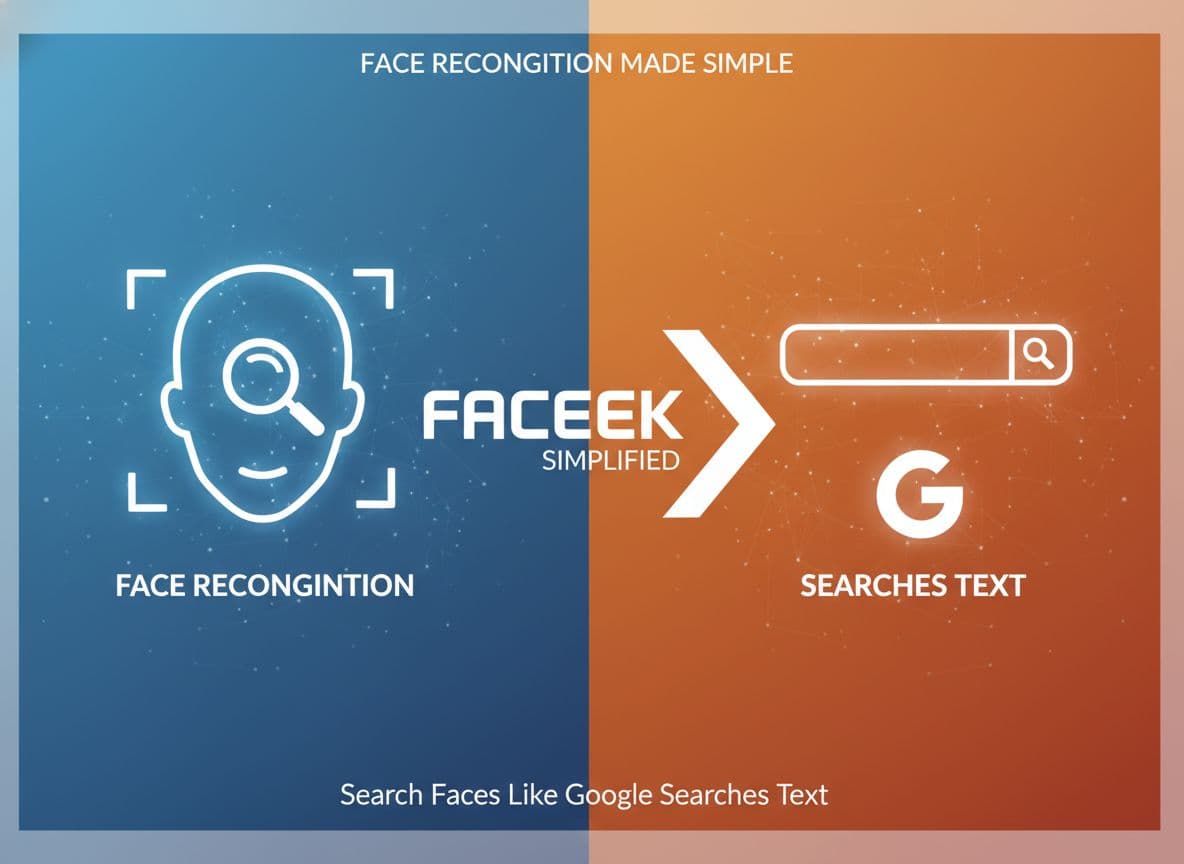
Face Recognition Made Simple: How FaceSeek Lets You Search Faces Like Google Searches Text
Imagine typing someone’s face into a search bar instead of words. That is the basic idea behind FaceSeek, an AI-powered face recognition search tool that lets you “search the web with your face” instead of with text.
Most people know how Google works. You type a few words, the search engine checks billions of pages, then shows you the best matches. A reverse face search online works in a similar way, but the query is a face photo rather than a sentence. This feels new because we are used to searching with language, not with our appearance.
In this guide, you will see what a face search tool does, how FaceSeek uses AI as an image recognition tool, and what results you can expect in real use. You will also see where the limits are, how to stay safe, and how to think about privacy. At the end, there is a brief look at FaceSeek’s partner program for brands and creators that want to be discovered through face search.
From Text To Faces: What Is Face Recognition Search?
A face recognition search is a search that starts from a photo of a person’s face instead of a text query. You upload an image, the system looks for faces that look similar in its index of public images, then it shows you possible matches.
If you are used to Google, the idea is familiar. With text search:
You type “blue running shoes”.
Google breaks that phrase into words.
It compares those words with pages that talk about blue, running, and shoes.
It ranks and shows the best pages.
With a face search:
You upload a face photo.
The system turns that face into a numerical description.
It compares that description to millions of other face descriptions.
It ranks and shows the faces that look most similar.
FaceSeek is one such face search tool. It uses AI to scan and compare facial features in a structured way. It does not guess at your identity in a mystical sense. It does not “know” who you are. It only measures patterns in pixels, compares those patterns, and ranks which other faces look closest.
This focus on pattern matching is shared by other tools, such as PimEyes, an online face search engine and FaceCheck, a reverse image search for faces. FaceSeek belongs in the same category, but it is designed to be clear, practical, and focused on public web content.
The core idea is simple: the AI looks for similar visual patterns, not for secret facts. If there are no public photos of a person online, no face recognition search can show them. In this sense, FaceSeek behaves much like Google. If there is no page, there is no result.
How Google Finds Words And How FaceSeek Finds Faces
A text search and a face recognition search follow the same high level idea. Both start from a query, check an index, then rank results.
With Google, the text search process looks like this:
You enter a query, such as “best pizza in Chicago”.
Google splits the query into tokens and checks them against its index.
Pages that talk about pizza in Chicago, in useful ways, rise to the top.
You see a ranked list of links and snippets.
With FaceSeek, the process is similar, but the query is a face:
You upload a photo with a clear face.
FaceSeek detects the face region and encodes it as a vector.
The system compares that vector to many others in its database of public images.
You see a ranked list of possible matches, each with an image preview and source.
In both cases, the goal is to match the query to items in an index and to rank those items in an order that makes sense. Instead of matching words to words, FaceSeek matches facial patterns to other facial patterns. That is what a face recognition search does in practice.
Key Terms: Face Recognition, Face Matching, And Reverse Face Search Online
Several phrases often appear together, and it helps to separate them.
Face recognition search: Searching for a person or similar faces using a face photo as the query. The system returns images where the same or similar face appears.
Reverse face search online: A type of reverse image search where you start with a face image rather than text. The search runs across public web images to find where that or a similar face appears.
Face matching: The process of comparing two face images and scoring how similar they look. A higher score means closer similarity.
FaceSeek uses AI models that encode a face into a compact form, then compare that encoding to many others. This is different from simple image search that focuses on the whole picture, including the background. A pure image search might match the same mountain scene. A face search tool focuses on the person in front of the mountain.
For readers who want a deeper ethics view, the post on privacy concerns in facial recognition tools offers a detailed guide.
How FaceSeek Works: Search The Web With Your Face
From the user’s point of view, FaceSeek works much like any other search site. Instead of a text box, you start with an upload button.
You choose a face photo from your device, or capture a new one. FaceSeek sends that image to its servers, where an AI model detects and isolates the face. The model then turns the face into a “fingerprint” made of numbers. This fingerprint describes distances, shapes, and patterns across the eyes, nose, mouth, and other areas.
This fingerprint does not store your name or identity. It stores measurements. FaceSeek then compares that fingerprint with a large index of fingerprints built from public images across the web. Each comparison produces a similarity score. Faces with higher scores rank closer to the top.
This process uses an image recognition tool in the form of a neural network trained on many faces. It is similar in spirit to how other AI face search engines work, such as Lenso.ai’s AI face search or Reversely’s facial recognition search.
A few key points about how FaceSeek operates:
It works only with images that are publicly available.
It cannot produce a match if there are no public photos to compare to.
It measures similarity, not legal identity.
It returns a ranked list of candidates, not a final verdict.
FaceSeek’s own FaceCheck ID alternative for secure face searches article at https://www.faceseek.online/face-search explains this matching idea with more diagrams and examples.
Simple Steps: How To Run A Face Search On FaceSeek
Using FaceSeek as a face search tool is a short process. A careful setup of the photo often makes a big difference.
A practical sequence looks like this:
Prepare a clear photo
Use a recent, front-facing picture. The face should be in focus and not blocked by hair, masks, or large sunglasses.Upload the image to FaceSeek
Visit the FaceSeek site and use the upload control to choose your file. Confirm that there is only one main face in the frame.Let the AI process the image
FaceSeek detects the face and converts it into its internal encoding. This step usually takes a few seconds.Review the results
The tool shows possible matches. You can open the source pages, compare multiple images, and decide which results matter.
Helpful tips include choosing neutral lighting, avoiding heavy filters, and trying more than one photo if the first search is weak.
Under The Hood: How The AI Image Recognition Tool Finds Matches
Modern face search systems rely on deep learning models that turn images into numbers. FaceSeek, as an AI image recognition tool, follows this pattern.
When you upload a face:
The model crops the face region.
It passes that crop through several layers that detect simple and complex features.
Early layers detect basic edges and shapes.
Later layers learn patterns such as eye spacing, jawline shape, or eyebrow curve.
The final result is a vector, sometimes called an embedding or “face code”. This vector might have hundreds of numbers, each capturing some aspect of the face. Faces of the same person tend to have vectors that are close to each other in this feature space. Faces of different people tend to be farther apart.
FaceSeek compares your face code to many existing codes with efficient nearest neighbor search methods. It filters out weak matches, then ranks the closest candidates near the top. The process is statistical, not perfect. The AI can confuse lookalikes, or struggle with heavy changes like strong makeup, aging, or extreme angles.
The important idea is that this is patterned measurement, not magic. AI helps automate comparison across huge sets of images, but human judgment still matters when you review results.
Accuracy, Limits, And Why Some Faces Are Harder To Find
No face recognition search tool is perfect. Several factors affect how well FaceSeek can find matches:
Image quality: Blurry, low resolution, or noisy images reduce accuracy.
Pose and angle: Side views or tilted heads make pattern matching harder.
Lighting: Strong shadows or very bright light can hide facial details.
Appearance changes: Aging, facial hair, makeup, or glasses change how a face looks.
Time gap: A child photo may not match well with adult images.
FaceSeek works best with clear, recent photos where the person looks toward the camera. If the subject has very few or no public photos online, the system cannot show useful results. This limitation is similar to text search. If no site has published content about a rare topic, Google cannot show much either.
Expect strong matches in some cases, partial matches in others, and no meaningful matches when data simply does not exist. Treat the results as leads, not proof.
Smart Uses Of FaceSeek: Real Examples And Best Practices
FaceSeek supports many informative and product discovery use cases. People can use a reverse face search online to understand where a photo appears, how a public figure is represented across sites, or how a particular image spreads.
Some users want to find the original source of a photo that appears suspicious on a marketplace. Others want to see if a dating profile photo appears on many different accounts. Some want to study how their own public images circulate across platforms linked to brands like FaceOnLive and other creators.
FaceSeek connects users with content and partner services, including face serach tool providers such as FaceOnLive and other AI platforms. Unlike general image search, a face recognition search focuses on the person, which can be helpful for research or safety checks when used in line with law and ethics.
Other tools in the same category include PimEyes, FaceCheck, and Lenso.ai, but FaceSeek offers a focused, people-first approach for face serach that aims to keep the process clear and understandable.
Everyday Uses: From Finding Profiles To Checking Photos
Everyday users often start with simple questions: “Where else does this photo appear?” or “Is this profile picture genuine?” FaceSeek can help answer such questions in a responsible manner.
Common uses include:
Checking whether a profile photo appears on different sites with different names.
Seeing if a viral meme, deepfake, or edited face originated from a known source.
Finding other public images of a person who already shares content widely, such as a creator or public figure.
These use cases share a key principle: the content searched is public, and the goal is to gain context. When you use face recognition search in this way, you should still follow local laws, site rules, and basic respect. A match does not give permission to harass, stalk, or expose someone.
Communities that study open source intelligence often compare tools. For example, one discussion on free facial recognition tools in r/OSINT shows how investigators mix different services and still cross check every result.
Research And Brand Discovery With AI Face Search
Researchers, journalists, and brands can use FaceSeek for more structured tasks. A reporter might study how a public figure appears across news sites and social platforms. A brand might look at how a spokesperson’s image appears in fan content, review videos, or product demos.
This ties into product discovery. A user can start with a face they recognize, such as a creator connected to FaceOnLive, and follow results to channels, products, or related content. In this context, FaceSeek acts as a face recognition search tool that routes attention to official or partner resources when those are available in the public web.
For brands, this type of search can reveal where their ambassadors or staff appear. It can support reputation monitoring, customer education, or better content planning. For users, it can provide a faster way to reach content from people they already trust.
Best Practices: Getting Better Results From Your Reverse Face Search Online
You can improve your reverse face search online results with a few simple habits:
Use a clear, recent, front-facing photo.
Crop the image so the face covers most of the frame.
Avoid heavy filters, stickers, or augmented reality effects.
Try more than one photo if the results are weak or mixed.
Remember that matches show public web content, not private databases.
When you read results, move slowly. Do not assume that a high similarity means absolute identity. People can look alike. Misuse of someone’s photo can also confuse the process. Treat each match as a clue that needs extra context.
Cross check information across multiple sites and tools, much like you would compare several text search results before trusting a claim. This habit reduces the risk of acting on a single, misleading match.
Privacy, Safety, And The FaceSeek Partner Program
Any use of face recognition should include a careful view of privacy, safety, and law. A face is not just another data point. It is tied to identity, reputation, and often to sensitive parts of someone’s life.
FaceSeek focuses on public data and on clear user control. It works with images that are already online and accessible. It does not secretly scan private galleries on your device. Still, users need to act with care. A strong tool can help or harm, depending on how people use it.
Alongside regular users, brands and creators may want structured ways to work with FaceSeek. The FaceSeek partner program offers such a path. Partners can align their public content, services, or tools with face-based discovery, so that when people search with faces, they find relevant and trustworthy sources faster.
Using Face Recognition Search In A Safe And Ethical Way
Ethical use of face recognition search starts with a simple rule: treat a face like sensitive information. The following practices help:
Respect consent where it is required. Do not upload private images of people who expect privacy.
Do not use matches to harass, stalk, or expose anyone.
Follow local privacy and biometric laws, which can vary by country and state.
Remember that AI results can be wrong. A match is not proof.
Text search offers a useful analogy. You would not assume that every rumor you find on a blog is true. In the same way, you should not assume that every face match is correct or fair to use against someone. Combine technical care with basic respect.
Readers who want a structured ethics guide can consult the article on balancing safety and ethics in AI face matching, which gives a practical rulebook.
How Brands Can Work With FaceSeek Through The Partner Program
Brands, apps, and creators can benefit from FaceSeek’s AI by joining its partner program. In simple terms, partners connect their public content, products, or experiences to the FaceSeek ecosystem. When a user runs a face search that relates to a partner’s public figure or brand-linked person, FaceSeek can surface relevant partner content in a clear, structured way.
This supports discovery. A user who starts with a familiar face may reach official tutorials, product pages, or verified social profiles rather than scattered unofficial copies. Brands gain qualified attention from users who already show interest in related public figures or styles.
Creators and services that work with visual identity, such as FaceOnLive and similar platforms, may find that this kind of face search tool integration drives more targeted visits and deeper engagement.
For more information on how to participate, brands can review the FaceSeek partner program.
Conclusion
FaceSeek turns a simple face photo into a search query, in much the same way that Google turns words into results. Its AI image recognition tool converts a face into a numerical fingerprint, compares that fingerprint across public images, and returns likely matches in a ranked list.
Used with care, a reverse face search online can support research, safety checks, and product discovery. It can help people trace the source of an image, review public profiles, or explore content tied to brands and creators, including partners such as FaceOnLive. The key is to treat every match as a lead and to respect privacy and law at every step.
For regular users, the next step is clear: try a responsible face recognition search on FaceSeek with a clear, public image and see how the results work in practice. For brands and creators, the FaceSeek partner program at https://www.faceseek.online/blogs/get-your-brand-featured-on-faceseekonline offers a structured way to connect with users who search with faces, not just with words.